 GoldYoke
 Hatch · Inventory, ordering & recipes
Know what’s on the shelf, what to order, and where the money goes.
Inventory for food businesses, from one café to a kitchen supplying twenty stores.
In short
Hatch tracks every item from supplier to shelf, so each store orders what it needs, the kitchen makes what was ordered, and you see where the money goes.
Every day
The daily work, in a few taps
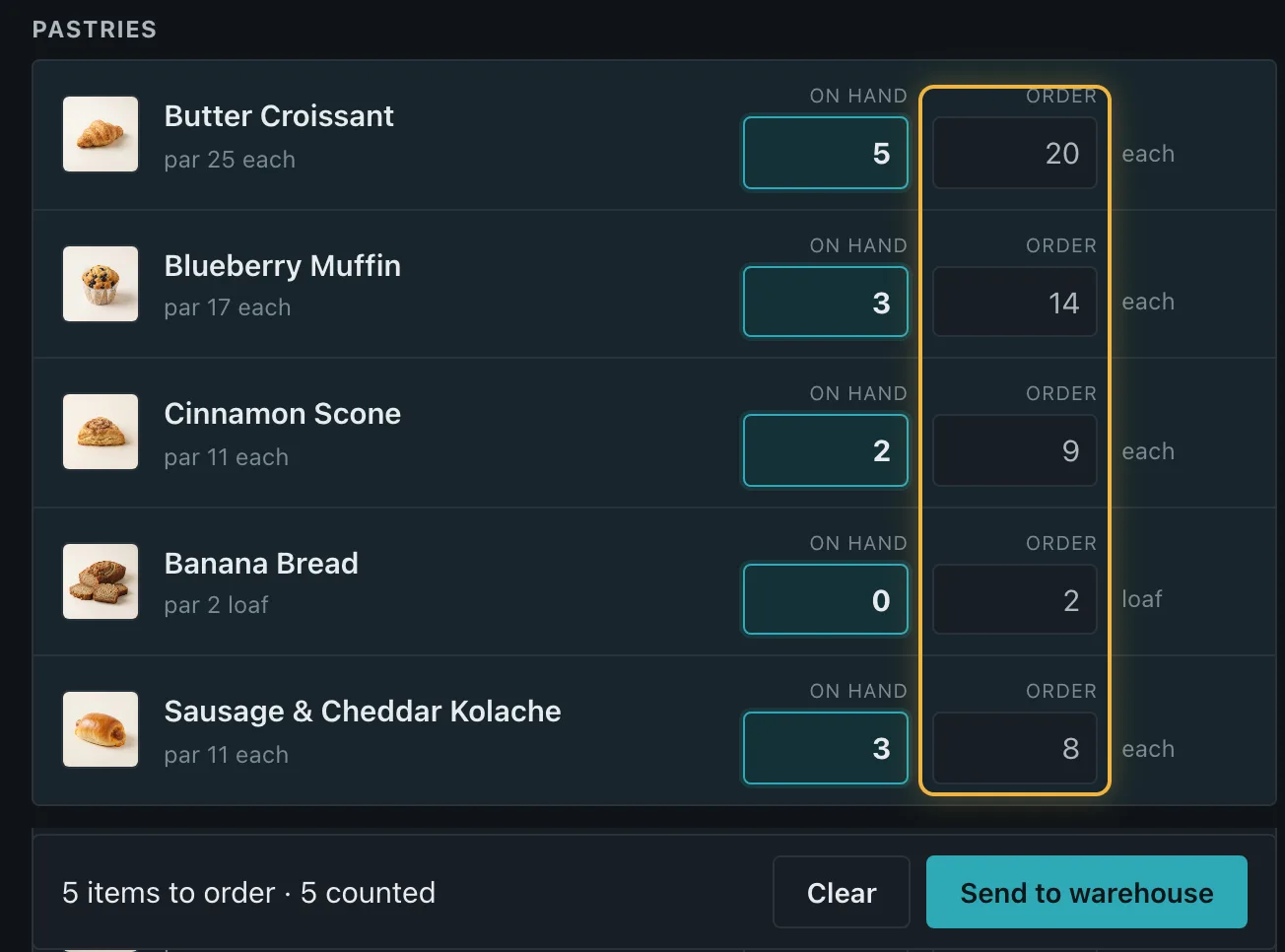
Inventory count
A section at a time, in cases, bags or each.
Receiving
Check each line; Hatch notes what’s owed back.
Store orders
Stores order from your kitchen before the cutoff.
Transfers
Stock moves when it ships and when it lands.
Recipes & production
Steps, batches and a kitchen view; ingredients come off stock.
Waste
What’s thrown away, and why.
Barcode scanning
Count, order and receive with the phone’s camera.
Production schedule
Pick the days for each product; get a daily prep list.
Ordering
From “we’re low” to “it’s on the truck”
Hatch works out what to buy, groups it by supplier and emails the purchase orders, in the supplier’s language.
- Suggestions by supplier, with minimums and cutoffs
- Purchase orders emailed as a PDF
- Invoices checked; credits owed tracked
- Cost history, with alerts when costs rise
Reports
See where food and money go
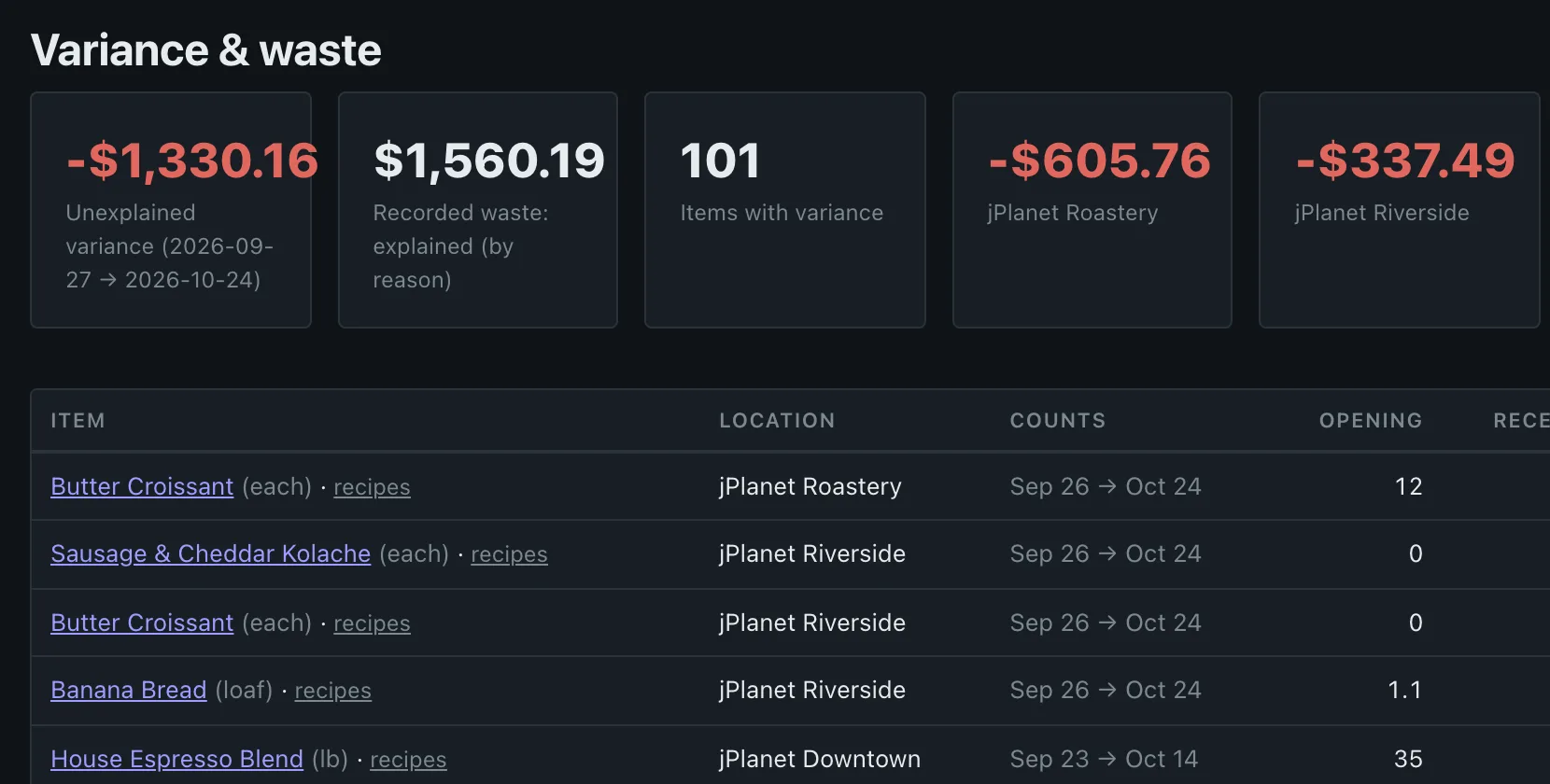
What should be left, against what was counted. The gap is your waste and unexplained loss.
- Variance and waste, by item and location
- Menu margins: cost to make against price
- Spend by supplier and category
- Suggested pars from real usage
Fits how you’re set up
One café, or a kitchen and twenty stores
Square and Toast
Sales flow in every hour; stock follows what sells.
Kitchen and stores
Each store sees only its own stock and orders.
Wholesale
Customer prices, standing orders and invoices.
The morning email
What’s due and below par, before the shift.
Get your stock straight before the next count
Priced per location, with add-ons for POS sync, forecasting and reports.